Wi-Fi Easy Connect, QR Codes and WPA3: Guest Network Best Practices for Airbnb Guest WiFi
The secure way to share WiFi passwords with Airbnb guests: a WPA3-Personal guest network with client isolation, handed over through a WIFI: QR code. Why Wi-Fi Easy Connect is not the tool for this, and where NFC actually helps.
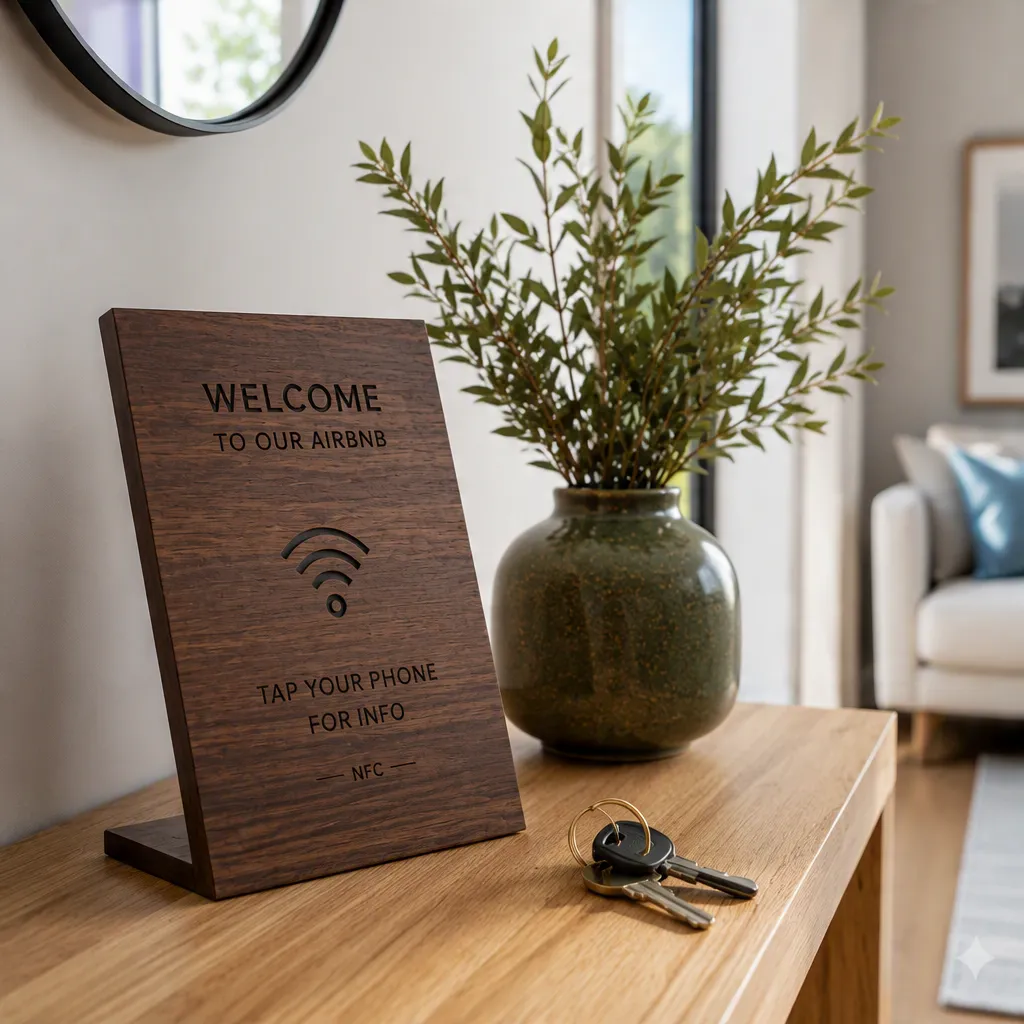
The most secure and easiest way to share WiFi passwords with Airbnb guests is a dedicated guest SSID running WPA3-Personal, with client isolation switched on and the guest VLAN firewalled off from your main LAN. The credential itself should be handed over as a Wi-Fi QR code built on the WIFI: URI scheme, which the stock camera app on every current iPhone and Android parses natively, with no app and no typing.
Wi-Fi Easy Connect — the Wi-Fi Alliance certification frequently cited in this context — is not that mechanism. It implements the Device Provisioning Protocol (DPP), designed to onboard headless IoT devices that have no keyboard or screen, and it requires DPP support in both the access point and the client. Its QR codes carry a DPP: bootstrapping public key, not a password. For guest phones in a holiday rental, it is the wrong standard. What follows is what to configure on the router, what to physically hand the guest, and the precise point where NFC helps and where it cannot.
Wi-Fi Easy Connect is not the same thing as a Wi-Fi QR code
These two are constantly conflated in hospitality content, and the distinction matters because only one of them works on an arbitrary guest's phone.
What Wi-Fi Easy Connect (DPP) actually does
Wi-Fi Easy Connect is a Wi-Fi Alliance certification program built on DPP. A trusted device acts as the configurator; the device being added is the enrollee. The QR code printed on the enrollee encodes its bootstrapping public key using the DPP: URI scheme. The configurator scans it, runs an authenticated key exchange, and provisions network credentials over the air.
Three properties make it unsuitable for guest Wi-Fi in a rental:
- It requires DPP support on both ends. Most consumer routers and most guest handsets do not negotiate it.
- The flow is inverted for this use case. It is built to add a device you own to your network — a smart bulb, a thermostat — not to grant a stranger temporary access.
- It presupposes WPA3 infrastructure end to end, which the guest's older phone may not have.
It is an excellent standard for IoT commissioning. It is not a check-in tool.
The WIFI: URI scheme your guests already use
The QR code that actually works originated in Google's ZXing barcode library and became a de-facto standard. It is a plain text string:
WIFI:S:CasaNaranjos-Guest;T:WPA;P:correct-horse-battery;H:false;;
| Field | Meaning |
|---|---|
S |
SSID (network name) |
T |
Security: WPA (covers WPA/WPA2/WPA3-Personal), SAE for explicit WPA3, nopass for open |
P |
Passphrase |
H |
true only if the SSID is hidden |
Any of \ ; , : " appearing inside the SSID or passphrase must be escaped with a backslash. The double semicolon terminates the payload.
Support is effectively universal on current hardware. The iOS Camera app has recognised these since iOS 11, and Android has both recognised and generated them from Settings since Android 10. iOS 18 added its own generator in the Passwords app — Passwords → Wi-Fi → select the network → Show Network QR Code — which produces a code any Android camera can also read. That is the entire reason this format beats every proprietary alternative: the guest installs nothing, and you are not relying on a vendor's app staying maintained.
The guest network matters more than the sharing method
A perfectly delivered password to a badly segmented network is still a bad outcome. Get this layer right first.
WPA3-Personal, SAE and transition mode
WPA3-Personal replaces WPA2's Pre-Shared Key handshake with SAE (Simultaneous Authentication of Equals). The security consequence is specific and worth stating plainly: under WPA2, an attacker who captures the four-way handshake can take it away and brute-force the passphrase offline, indefinitely. SAE is a balanced password-authenticated key exchange, so that offline attack does not work — each guess requires a fresh interaction with the network. WPA3 also mandates Protected Management Frames (802.11w) and provides forward secrecy, so a passphrase compromised later does not decrypt previously captured traffic.
WPA2/WPA3 transition mode exists so older clients can still associate. Enable it if you must, but understand the trade-off: a network advertising both is susceptible to downgrade attacks, and you inherit WPA2's weaknesses for any client that takes that path. If your guest network sees only recent phones, run WPA3-only.
There is also Wi-Fi Enhanced Open (OWE, RFC 8110), which encrypts traffic on an open network with no passphrase at all. For a guest SSID where you would otherwise print a password on a card, OWE is a genuinely strong option — it removes credential sharing entirely while still preventing passive eavesdropping. Support is less widespread than WPA3, so verify before committing.
Client isolation and VLAN separation
This is the control that actually protects you, and it is the one most often left off.
- Client isolation (also called AP isolation or station isolation) blocks traffic between devices on the same guest SSID. Without it, one guest's compromised laptop can reach another guest's phone.
- Network isolation puts the guest SSID on its own VLAN and firewalls it from your main subnet. Your NAS, security cameras, printer, smart-lock hub and personal machines must be unreachable from it.
- Disable UPnP on the guest VLAN. Automatic port forwarding requested by a guest device is not something you want.
- Disable WPS entirely. The WPS PIN method has a well-known brute-force weakness and undermines whatever WPA3 gives you.
- Rate-limit the guest VLAN so one heavy user does not degrade the network, and cap it well below your uplink.
A useful test: connect a phone to the guest SSID and try to reach your router's admin page and any smart-home device by IP. Both should time out.
Comparing the four ways to hand over credentials
| Method | Works cross-platform | Needs an app | Survives a password change | Weakness |
|---|---|---|---|---|
| Typing it from a printed card | Yes | No | No — reprint | Transcription errors, long passphrases |
| Native OS share (AirDrop, Android share) | No | No | N/A | Apple-to-Apple only; needs host present |
WIFI: QR code |
Yes | No | No — regenerate | Static image must be reprinted |
| NFC tag → hosted page → QR + copy button | Yes | No | Yes | Requires a hosted page |
The last row is the only one that decouples the physical object from the credential. That distinction is the practical core of this article.
Why an NFC tag alone cannot join an iPhone to Wi-Fi
This is the technical detail that determines how you should build the physical layer, and it is widely misreported.
NDEF records and platform support
NFC tags store data as NDEF records. Wi-Fi provisioning over NFC uses a Wi-Fi Simple Configuration (WSC) record, MIME type application/vnd.wfa.wsc, which carries the SSID, authentication type and passphrase.
- Android honours it. Write a WSC record, tap, and the handset offers to join the network.
- iOS does not. Core NFC reads NDEF, but iOS will not act on a WSC record to configure Wi-Fi. An iPhone tapped against a Wi-Fi-provisioning tag does nothing useful.
So a tag holding raw Wi-Fi credentials serves roughly half your guests and silently fails for the other half. The portable pattern is an NDEF URI record: the tag holds a short URL, the phone opens it, and the page presents the SSID, the passphrase with a copy button, and a rendered WIFI: QR code the guest can scan from a second device.
Two further compatibility facts worth knowing:
- Background tag reading — opening a URL from a tag with no app running — works on iPhone XS, XR and later. iPhone 7, 8 and X have NFC hardware but require an app to initiate a scan.
- Any phone with NFC disabled, or no NFC at all, needs a visible QR code on the same object. This is not optional if you want full coverage.
NTAG215 and NTAG216: what the memory numbers mean
The NXP NTAG21x family are NFC Forum Type 2 tags operating at 13.56 MHz under ISO/IEC 14443A.
| Chip | Total memory | User memory | Comfortable for |
|---|---|---|---|
| NTAG213 | 180 bytes | 144 bytes | A short URL |
| NTAG215 | 540 bytes | 504 bytes | URL plus headroom — the practical default |
| NTAG216 | 924 bytes | 888 bytes | Large payloads, vCards, multi-record |
For a URL redirect, even NTAG213 suffices. NTAG215 is the sensible specification for hospitality: enough room for a long URL with campaign parameters and future re-encoding, universally supported, and inexpensive. NTAG216 is only necessary if you intend to store substantial data on the tag itself — which, as established above, you should not, because on-tag data cannot be updated without physically rewriting every plaque.
One hardware caveat: NFC does not work through metal. A tag mounted on a metal door or plate requires a ferrite-shielded "anti-metal" tag, or a non-metallic substrate. Wood, slate and acrylic are all radio-transparent and pose no problem.
Practical implementation: the physical layer
Everything above converges on a short specification for the object you actually mount in the property. It must:
- Contain a passive NFC tag with an NDEF URI record — never raw credentials — so the destination page can be updated when the passphrase rotates.
- Carry a printed QR code on the same surface for iPhones without background reading, phones with NFC off, and anyone who prefers scanning.
- Require no power and no battery, because a check-in device that dies at 2 a.m. is worse than a printed card.
- Tolerate humidity and repeated cleaning without delaminating.
- Look like part of the property, not like a piece of IT equipment bolted to the wall.
That specification is precisely what Aldaba custom engraved wooden NFC plaques are built to. Each plaque is solid wood — dark walnut, light oak or natural wood, with slate, charcoal and acrylic also available — laser-engraved, with an NTAG215 chip encapsulated inside the material where it is protected from moisture and wear. The plaque draws its power from the guest's handset, so there is nothing to charge and nothing to fail.
The important architectural property is the indirection. The tag stores a URL, not your passphrase. The URL resolves to a hosted page in the Aldaba panel that carries the Wi-Fi credentials, the house rules, the bin schedule and your local recommendations. Rotating the guest passphrase means editing one field in the panel — the plaques on the wall never need re-encoding. For anyone managing more than one property, that difference is the whole operational argument.
Each plaque also carries an engraved backup QR code, which closes the iPhone 7/8/X gap and the NFC-disabled case described above. Compatibility is therefore complete rather than partial: tap on modern handsets, scan on everything else.
Pricing is €69 for the hardware as a one-time purchase, with the first twelve months of the cloud panel included; the panel renews at €29/year from month thirteen. Hardware carries a two-year warranty with a 30-day return window and free shipping. You can buy wooden NFC smart signs at aldaba.store or read the full NFC welcome plaque specifications first.
A note on sustainability, since it drives a growing share of procurement decisions in boutique hospitality: a passive NFC plaque has no battery, no power draw and no end-of-life electronics beyond a chip smaller than a fingernail. Compared with e-ink or backlit digital signage, the lifecycle footprint is not close — and compared with laminated cards reprinted every time the Wi-Fi changes, it eliminates a recurring waste stream outright.
Configuration checklist
Work through this once per property:
- Create a separate guest SSID. Do not give guests the main network passphrase.
- Set security to WPA3-Personal, or WPA2/WPA3 transition mode only if older client support demands it. Consider OWE if you would rather run no passphrase at all.
- Enable client isolation on the guest SSID.
- Place the guest SSID on its own VLAN and block it from the main subnet.
- Disable WPS. Disable UPnP on the guest VLAN.
- Apply a bandwidth cap to the guest VLAN.
- Choose a passphrase that is long but transcribable — four or five unambiguous words beats a short random string, because a human may still have to type it.
- Generate the
WIFI:QR code from that passphrase and verify it on both an iPhone and an Android handset before it goes on the wall. - Mount the plaque where a guest looks first: the entrance, beside the key drop, or on the hallway console.
- Verify isolation from the guest network: the router admin page and every smart-home device should be unreachable.
Frequently asked questions
Is a QR code less secure than typing the password? No. The QR encodes exactly the same passphrase a printed card would show. Its security properties are identical; it merely removes transcription errors. Physical exposure is the real consideration — anyone who can photograph the plaque has the credential, which is precisely why it must lead to an isolated guest VLAN and why the passphrase should be rotatable.
Should I rotate the guest passphrase between stays? For most properties, periodically rather than per-stay is a reasonable balance, provided the guest network is properly isolated. Per-stay rotation is only practical when changing it does not require reprinting or re-encoding anything — which is the case when the tag points to a hosted page.
Does an NFC plaque work if the guest has no signal?
Tapping the tag opens a URL, so the hosted page needs connectivity. In practice the guest is loading it over cellular before they join Wi-Fi. If you expect properties with poor mobile coverage, the engraved QR containing the WIFI: string works fully offline, since the camera parses it locally.
Can I write the Wi-Fi credentials directly to the tag instead? You can, using a WSC record, and it will work on Android and fail on iOS. You will also have to physically rewrite every tag whenever the passphrase changes. The URI-record approach avoids both problems.